
Member Login
  • Products
    • Qure Suite
    • Qure Analyzer
    • Qure Optimizer
  • Downloads
    • Qure Analyzer (Free)
    • Qure Optimizer (Free Trial)
  • Support
    • Contact Support
    • Frequently Asked Questions
    • Limitations and Known Issues
  • Resources
    • Qure Optimizer Resources
    • Qure Analyzer Resources
    • Whitepapers
    • Videos and Tutorials
    • eBooks
    • Attend an Online Demo
    • inTune eMagazine
    • SQL Server Tuning Blog
  • Learn More
    • About Workload Tuning
    • SQL Server Tuning
    • SQL Server Performance
    • SQL Server Performance Tuning
    • Tips
    • SQL Server Articles
  • Company
    • About DBSophic
    • Management
    • Partners
    • News
    • Success Stories
    • Customer Testimonials
    • Selected Customers
  • Contact Us

Qure Analyzer - Free SQL Server Trace Analysis Tool

Qure analyzer
  • Overview
  • Screen Tour
  • Resources
  • Requirements
  • Download

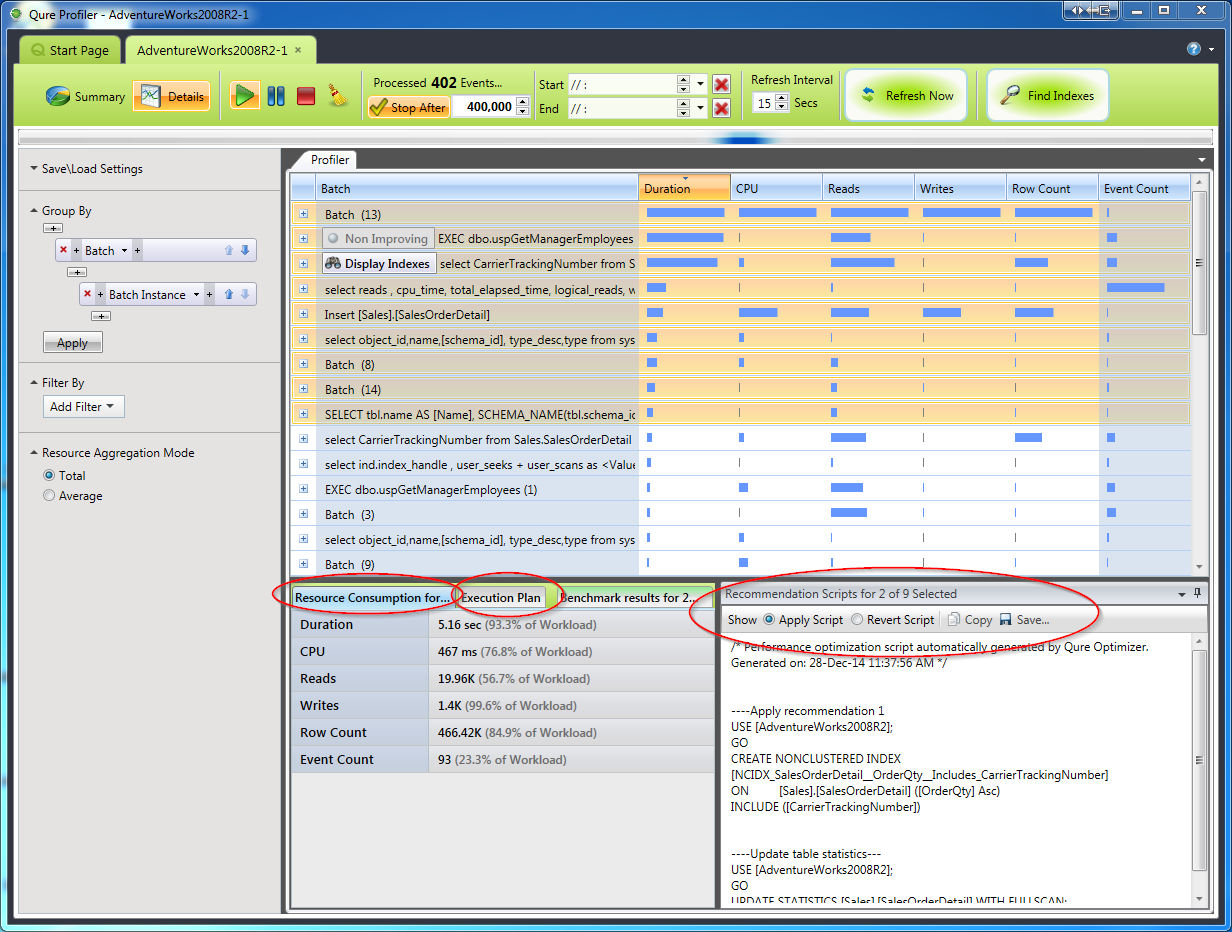
Qure Analyzer is a FREE solution for analyzing and comparing SQL Server trace files (workloads).

Qure Analyzer's intuitive graphical interface helps you quickly identify and analyze performance bottlenecks. And thanks to multi-dimensional grouping, sorting and filtering you can easily isolate the most resource-consuming SQL statements, applications, users, hosts and more.

qure-workload-analyzer-about

Qure Analyzer also introduces the ability to compare database workloads before-and-after a hardware change, version upgrade, or tuning
effort. Even dissimilar workloads can be reliably compared, thanks to Qure Analyzer’s powerful equalization and weighting capabilities.

Both SQL Server trace files and SQL Server trace tables are supported.

Qure Analyzer is part of the Qure workload management suite. The Qure suite also includes Qure Optimizer, a workload tuning solution that automatically optimizes millions of queries in one go.

free-download

Click the image to start the screen tour:

3-see-inside-workload

Qure Analyzer demo - Analyzing trace files and tables Qure Analyzer - Technical Walkthrough 1: Analyzing Workloads
Qure Analyzer demo - comparing workloads Qure Analyzer - Technical Walkthrough 2: Comparing Workloads


Link to the Qure Workload Analyzer Visual Introduction Qure Analyzer - User Guide
Link to the Qure Workload Analyzer Visual Introduction Qure Analyzer - Visual Introduction
Qure Analyzer Trace Templates Qure Analyzer - Trace Templates
tip Qure Analyzer Tip - Multi-Dimensional Analysis
tip Qure Analyzer Tip - Comparing Database Workloads
tip Qure Analyzer Tip - Comparing Database Workloads - Part II
new version Qure Analyzer - New in Version 1.5
review Qure Analyzer Review - Bernie Velivis' Performance Testing Blog
Supported trace formats:

> SQL Server 2005/2008/2008R2/2012

> SQL Server trace files and SQL Server trace tables supported

> Mandatory SQL Server trace data columns: TextData, Duration, CPU, Reads, Writes


Installation requirements:

> Windows XP/Vista/7, Windows Server 2003/2008/2008R2 - 32 or 64 bit

> .Net Framework 4.0

> SQL Server client tools

> 2 GB RAM minimum

> 50 MB free disk space for binary/executable/log files

Download Qure Analyzer

Qure Workload Analzyer logo

Download Now

© 2011 DBSophic Ltd. All rights reserved. | Legal